
Ambidextrous Design Of Microsoft Wireless Notebook Optical Mouse To Give Smoother Tracking Facility!
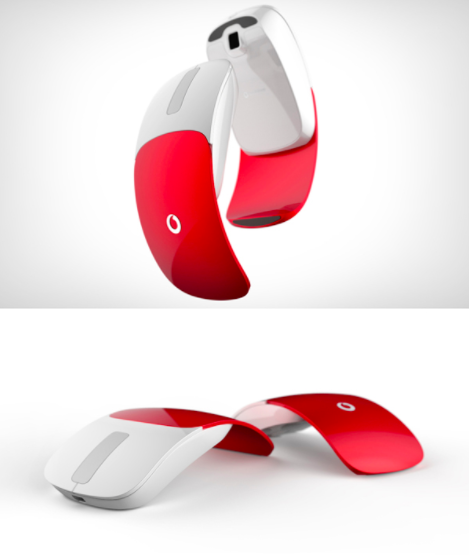
Are you thinking of adding a portable mouse to your notebook? Then your search ends with this product [Ergonomic Products], Microsoft has introduced a snap-in receiver portable mouse that satisfies all your needs.
Microsoft wireless notebook optical mouse 3000 is one of the best selling products of Microsoft and is known for its high definition technology.
This high definition Microsoft wireless notebook optical mouse is very responsive and delivers smooth tracking.
You can always ready to work on this mouse and does not need apparatus in setting the mouse to the notebook. This is specially designed by ergonomic experts to comfort the hand in all means.
Microsoft wireless notebook optical mouse 3000 details:
- Mouse length is 3.89” and width is 2.28” and weighs around 8.3 ounces
- Microsoft intelligent tracking system present in this mouse gives you smoother tracking facility
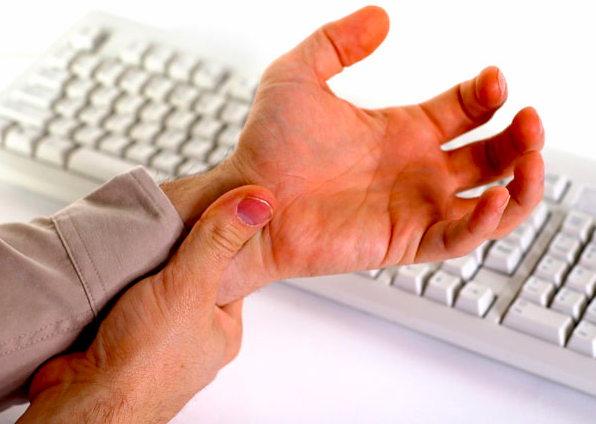
There are aches that do not go away easily.Most often, people affected by a crick in the neck, a bad back or painful wrists, do not recognize these as symptoms of repetitive stress injury (RSI), the causative factors for which are embedded in a person’s profession or vocation.
“When there is physical stress of a similar kind and repeatedly at the same area, it leads to RSI,” says V.B. Bhasin, honorary senior consultant at the department of orthopaedics, Maulana Azad Medical College, New Delhi.
Computer-dependent professions exhibit the highest incidence of RSI.
In an ongoing study on musculoskeletal disorders among computer professionals in India being conducted by RECOUP—Neuro Musculoskeletal Rehabilitation Centre based in Bangalore, more than three-fourths of the 35,000 persons surveyed showed symptoms of RSI.
The areas affected most commonly include the neck, upper back, lower back and the upper extremity, says Deepak Sharan, medical director, RECOUP. A fifth of such patients also suffers from constant pain and numbness.
Are keyboard operations annoying you? Want to make your natural wrist alignment easier?
Poor posture in typing can be quite painful in the long run writers.
Correcting the wrong postures may not seem to be an easy task and neglecting the wrong posture can be quite daunting.
If you are one of the people who think in this way then Microsoft Natural Ergo Keyboard 4000 is the best answer.
The first look at the keyboard may not give you the positive effect but once you use the key board you will love to work on the keyboard even more.
The unconventional design of the Microsoft Natural Ergo Keyboard 4000 promises you the best posture of your hands while typing. The keys of this keyboard look like seagull’s wings and enhance the design of the keyboard.
Is your laptop or notebook height annoying you? The main drawback for the laptop user is the height; if you are used to a desktop monitor and at once shifted to use a laptop, the first major problem you face is the height of the computer screen.
If the height of the computer screen is not adaptable to you, then you may develop stress in the neck muscles and eye strains which lead to head ache.

Logitech has introduced a product that is an answer to all these problems.
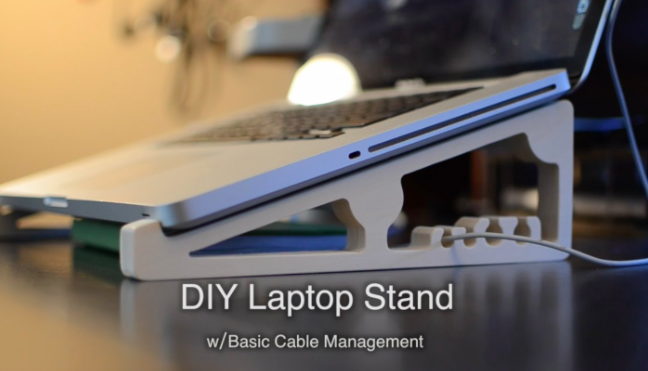
Logitech’s new product is a laptop stand that corrects the height of the laptop and minimizes the stress in the body; this can be a perfect ergonomic product for your laptop.
This is very good ergonomic product that not only cuts down the eye strains but also controls the stress related spinal cord problems you face while operating a laptop.
Stands have become the most important part to make the laptop usage comfortable.
Laptop stands are the important ergonomic product to make the laptop use comfortable and easy.
There are many famous stands from Logitech; all the stands improve user ability and make the usage of the laptop easy.
Logitech Alto Express and Logitech Alto Connect are two of the famous laptop stands.
Features of these laptop stands differ from each other; when it comes to the comfort level, both of these stands compete with each other in providing the comfort [Adjustable laptop stand for great comfort].
These two stands are the best selling laptop stands from Logitech.
Features of Logitech Alto Express:
- The dimension of this stand is 4.5 x 14.2 x 14.4 inches with weight around 4 pounds
- Takes your laptop to your height of comfort and provides you with a comfortable posture.
Is your posture annoying you? Want to bring change in your posture?
You should take care regarding every aspect such as sitting, standing, walking and leaning for correction in the posture.
Alexander technique is one of the best techniques in correcting your posture related problems.
Alexander Technique is also referred as the ideal method in making changes regarding your posture.
Alexander technique comprises of 3 principles in correcting the posture.
Remember that these principles are only related to posture correcting when you are still or sitting.
So, this is very much useful for computer professionals who worry about posture related problems.
Alexander technique posture correcting principles:
Observation: Do you feel that the posture you are sitting is wrong? If you feel that your posture is wrong, then this is know as observing principle. Use your eyes in recognizing the wrong posture. If you are able to observe these changes, start changing the posture. Most common observations are
How to be in posture? This is the most common question raised by computer professionals who spends lot of their time before the computer.

In this computer world, you spend most of your time by sitting before the computer. If you do not maintain perfect posture, you will be facing many problems regarding the wrong posture.
Many people who are not aware of posture problems ignore the importance of postures, but the truth is bad posture can affect your overall health.
If you are a computer professional or spend most of your time before the computer, then posture ranks first in maintenance of the health.
Other things like eating low fat and rich fiber food, sleeping adequately helps to maintain your health. This article contains some ideal posture tips which correct your posture and makes you overall healthy.
Have you decided to make your working environment ergonomic?
That’s a great thing that you can do to yourself for making yourself comfortable and safe from hazardous posture problems you face in your work station.
Before introducing any product to your office you must see that the product is ergonomic and provides you safety and comfort.
There are many products, which make your working station ergonomic.
Here is a set of ergonomic products for making yourself comfortable in your day-to-day office life.
Basic products to make your office an ergonomic workstation:
- Tables: Work surfaces or ergonomic working tables come in many varieties which make your seating arrangement easier and comfortable. Always prefer adjustable working surfaces for avoiding posture related problems such as hunching and slumping.
Have you ever wondered that your desktop computer occupies larger space? Want to lessen the space it occupies? You must be thinking that this article is explaining about some laptop or notebook that minimizes the space of the computer and provide the features of the computer. No, it is not referring any laptop or notebook that brought the vast computer into the lap size.

Even usage of the laptop has many problems and disadvantages, so now-a-days many people are not showing interest in the wide usage of the laptops [Laptop ergonomics].
Have you ever thought that the desktop computer must be small and compact giving the same feature of the computer and cutting down the adverse effects of laptop and note book? Then there is a solution for this problem, CYBERNET has come up with an innovative idea of comprising the 3-pieces desktop computer into 2-piece desktop computer.
You must have seen different ergonomic chairs. Want to own a good ergonomic chair? Don’t go on the look of the chair and make wrong selection.
There is no doubt that ergonomic products provide you utmost satisfaction, but there is no rule that every ergonomic product must provide you the same comfort and satisfaction.
If you select a wrong ergonomic product, you will surely disappoint with the wrong selection.
So, when you are selecting a proper ergonomic product, you need to look after every aspect that makes your selection perfect and comfortable.
One of the most important ergonomic products in the office furniture is the office chair, as you sit in this chair for all the day, work in the chair, relax in the chair etc.
If your selection is wrong, you lose interest in work and do not prefer to sit before your computer for long time.
Recent Posts
- Solemate Plus Adjustable Foot Rest To Reduce Muscle Strain
- Savant Dual Action Programmable Foot Switch To Give Rest For Your Hands
- Tricks To Give Your Wrists Some Relief
- Laptop Drawer System With Security Features
- Logitech Cordless Desktop Wave Pro For Added Comfort
- Footime Foot Mouse With Definable Pedal To Make Your Work Much Easier
- Fellowes Standard Foot Rest For Reducing Stress In Your Feet
- Ergonomics Tips For IT Pros
- Fellowes Micro Trac Hand-Held Trackball For Laptop Users
- Backless Drafting Stool With Saddle Seat To Provide Comfortable Posture