Increase in waist size is the most common problem which will be seen in people who spend more time in front of their systems.
There are several reasons for the occurrence of this problem and the most common cause which is seen in more number of people is storage of fat in that particular area.
People who work in the corporate office will not have enough time to take rest and get relaxed.
They immediately go to their work after eating. This is not a good practice and it makes your body to feel uncomfortable and your digestion levels will also become slow. The fats which are present in your body will get stored in your stomach or in your waist line, that’s why the size of the waist will obviously increase.

This complete keyboard arm with W/27 inch universal platform makes your hands feel comfortable while working with your system.
It also makes your hand to stay or act in the right way so that it will not be affected with various problems like RSI (repetitive strain injury), CTS (carpal tunnel syndrome), etc.
The product features of this complete keyboard arm W/27 inch universal platform are:
- This keyboard tray system includes a steady lift arm on a retractable split nylon glide track with the length of 17” or 21 7/8”.
- It also offers a knobless lock height adjustment and a spring assisted lift of 7” i.e. 6” below the work surface and 1” above the mounting track.
- It offers both negative and positive tilt with the single arm to accommodate for the various optimal positions for different needs.
A therapeutic tool has been designed and crafted for giving relief to carpal tunnel syndrome (CTS) sufferers. The tool named “ergonomic therapeutic glass massage tool” consists of a smooth glass bulb. It is connected to a flat, rounded glass handle that allows users to comfortably grip the tool while performing therapeutic massage.
A stream of colored glass is present inside the glass bulb, which expands for filling the bulb, giving an impression that a glass flower is present inside the center. As the tool is designed ergonomically, strain on your hands can be reduced. It gives longer sessions of massage than usual.
Chronic pain resulting from carpal tunnel syndrome is affecting 1 in 5 Americans and disabling more number of people than cancer and heart disease. Therefore, it is helping people to relieve from CTS. This device is also helping to treat fibromyalgia and multiple sclerosis apart from carpal tunnel syndrome.
Ergonomic products are designed to reduce the pain or inconvenience, which occur in your body when you work in front of your computer for long period of time.
You cannot expect which type of pain or problem may occur to you in the starting days of working with your computer.
It all depends upon the time you spend in front of your computer, working environment, comfort levels, your position, etc.
Not all the ergonomic products are best ones! The recent studies have proved that not all the ergonomic products are suitable for all. Depending on your necessity and seating position, you have to select the right ergonomic product which is suitable for you.
Steps to follow while purchasing right ergonomic products which are suitable for you:
Other than purchasing, care and maintenance of the ergonomic product is the most essential aspect.
With proper care and maintenance, you can make your product to stay fine for long period of time without any discomfort, whereas the improper maintenance makes your ergonomic product to become worse and the lifetime of the product will also be reduced.
Not all the products require the same type of caring.
Each and every product will be differing from one another depending on its shape and model.
Some ergonomic products even include some precautions and caring aspects which must be followed compulsorily while using them.
Tips on how to take care of your ergonomic products in the right way:
- Mostly you have to check for the caring and maintenance of the ergonomic products before buying the ergonomic products itself. If you are capable to take care of it in the right way, then only you have to get that particular product otherwise go for the another one which require less maintenance.
People who work for longer hours in front of their systems will certainly face some health problems like RSI (repetitive strain injury), CTS (carpel tunnel syndrome), back pain etc in their future if they don’t follow certain essential aspects, which will be helpful for them to avoid health problems.
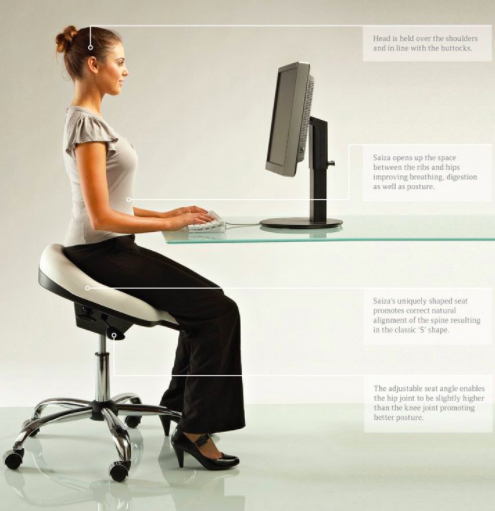
The way you sit before computer and how you work with the computer is mainly responsible for all the inconveniences of your health.
Right ergonomic seating system and correct procedure of working with your computer will be helpful for you.
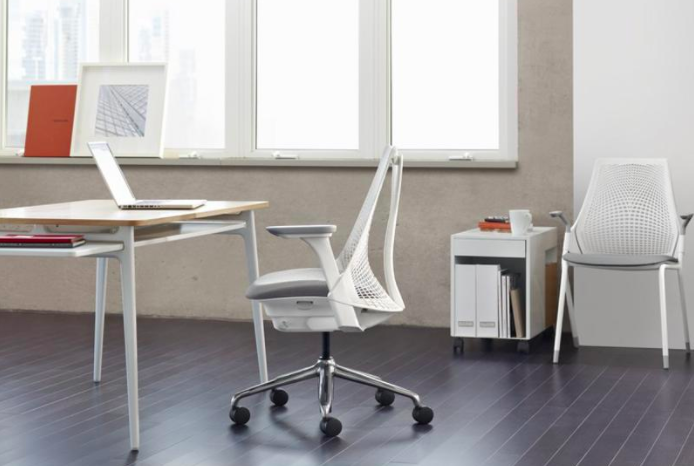
Tips to select computer desk and seating arrangement:
- Buying the ergonomic computer desk is the best option if you like to buy the perfect computer desk for your system, but the recent studies have proved that even the ergonomic computer desks are also not giving the better results as they are not used in the right way.
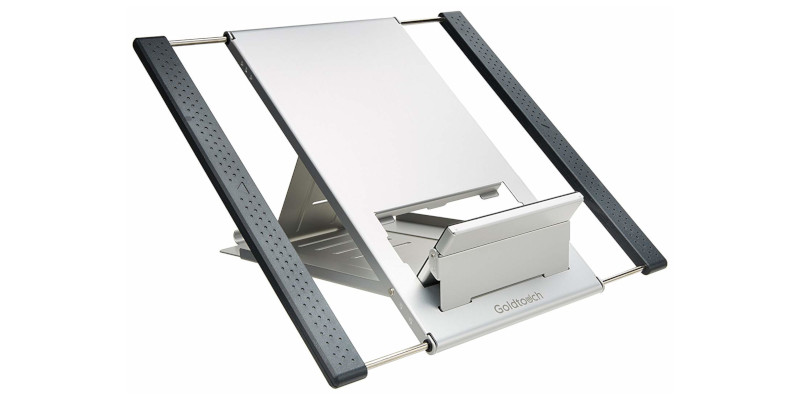
This L2 notebook manger is the most innovative laptop holder which allows you taking advantage of your laptop’s high resolution LCD screen [LCD glare filter].
You will feel free while using this product as it encourages you in using your external mouse and full-size keyboard.
The strain and discomfort that is attained by you while using your prolonged notebooks will be eliminated by this laptop manager.
The product features of this L2 notebook manager are:
- It encourages the low-risk body postures while working with your notebook computer.
- You can adjust its height according to your comfort level. 5 inches height adjustability is provided to it that means you can adjust the height from 5.5 inches to 10.5 inches above the work surface.
- It is also helpful for you in reducing the shoulder and neck strain, which obtains while working with your laptops and your data input speed will also be increased by using it.
This human scale switch mouse is the innovative mouse solution that boosts your comfort levels and reduces the risk of injuries (like RSI), which occur while using the mouse [RSI treatment].
The base of it is “V” shaped in order to put the forearm and wrist of the users in natural position and it is suitable for both left and right hand users.
No special operation is needed for this mouse; it can be operated easily just as the normal mouse.
Other features of this humanscale switch mouse are:
- The scrolling dish which is present at the bottom of this mouse provides horizontal and vertical navigation easily.
- The length of it is also adjustable. You can adjust it according to your required and comfort levels.
- It also features the integrated palm support, which will be helpful for you in reducing the risk and in eliminating the contact stress of carpal tunnel syndrome.
Everyone feels pain at their palm area if they work for long period with a keyboard or mouse.
This problem generally arises due to the strain produced at the palms as they are put in pressure for long period of time.
This goldtouch blue gel filled palm supports allows you to fit the stress dispersing, soft gel pads to each hand individually when you are working with keyboard in front of the system [Tips to ease the stress].
These palm supports are finished in smooth lycra and the wrist rests stays easily on the skin as they are on the muscles.
Some other Features of the goldtouch blue gel filled palm supports are:
- These ergonomic wrist rests makes your hands to stay in the most comfortable position and they don’t make your hands to feel strain while using them.
RSI is the most common problem faced by the workers who work in front of their system for longer hours.
This problem occurs due to the repetitive actions (like mouse clicking, typing on the keyboard, etc) which you perform while working on your computer for longer hours.
- The first and foremost tip is to not work continuously with your mouse or keyboard [Using the keyboard in right manner] for long period of time in the same pattern. This practice will make the nerves to feel strain, which can lead to RSI [Mouse clicking alternatives].
- The second tip regarding RSI is changing angle. Don’t try to perform the work for longer hours in the same angle. It can lead to several disadvantages to your muscles and nerves, if you make them to work for long period of time in the same position.
Recent Posts
- Is Your Waist Size Increasing By Spending Lot Of Time On Your Computer?
- Complete Keyboard Arm W/ 27 Inch Universal Platform To Solve Problems Of RSI And CTS!
- New Ergonomic Glass Massage Tool To Relieve From Carpal Tunnel Syndrome!
- Steps To Follow While Purchasing Ergonomic Products!
- Find How To Take Care Of Your Ergonomic Products In The Correct Way!
- Which Type Of Computer Desk And Seating Arrangement You Should Prefer To Avoid Health Problems?
- L2 Notebook Manager To Encourage Low Risk Body Postures!
- Humanscale Switch Mouse To Reduce The Risk Of RSI!
- Goldtouch Blue Gel Filled Palm Supports To Reduce Keyboard Or Mouse Related Stress!
- Simple And Easy Tips To Cope Up With The Problems Of RSI!