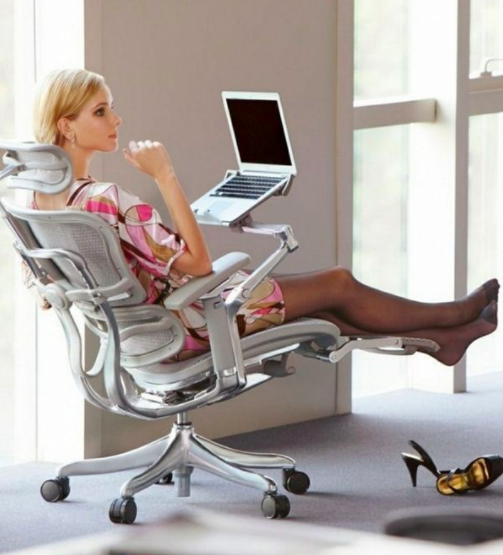

You must have seen different ergonomic chairs. Want to own a good ergonomic chair? Don’t go on the look of the chair and make wrong selection.
There is no doubt that ergonomic products provide you utmost satisfaction, but there is no rule that every ergonomic product must provide you the same comfort and satisfaction.
If you select a wrong ergonomic product, you will surely disappoint with the wrong selection.
So, when you are selecting a proper ergonomic product, you need to look after every aspect that makes your selection perfect and comfortable.
One of the most important ergonomic products in the office furniture is the office chair, as you sit in this chair for all the day, work in the chair, relax in the chair etc.
If your selection is wrong, you lose interest in work and do not prefer to sit before your computer for long time.
Now-a-days, eight hours of work in front of computer is common, but many professionals around the world are finding out that it can be dangerous to the health.
Computer related injuries (CRI) are increasing and many young people are complaining of sharp pains, cramps and numbness due to CRI.
The most common symptoms of CRI are headaches, back pain, neck pain, arm and shoulder pain.
You can get muscle and joint problems when
- Your work station design is poor
- You work sitting in a bad posture
- You perform repetitive actions
- You work for extended hours
Reasons for computer related injuries:
Not maintaining the curve of spine:
You can understand the correct posture by simply looking at the spine and how it tolerates weight. Your spinal column contains three different curves: cervical curve, thoracic curve and lumbar curve. These three curves are essential because spine is allowed to distribute the body weight equally rather than if the curves were straight.
Sometimes being too tall can also be the reason for sitting in wrong posture.
But as you are tall, it doesn’t mean that you should sit in the wrong posture.
This article helps you in correcting your wrong posture which is caused due to your height.
3504 Big &tall Ergonomic chair is an answer to all your questions regarding the wrong postures related to height, as it corrects your wrong postures.
The construction of the chair helps you to give the proper posture while considering your weight, height and also relaxes your leg muscles.
This 3504 Big &tall Ergonomic chair provide ultimate comfort for tall and big constructed people.
Specializations of 3504 Big &tall Ergonomic chair:
- The wide seat of the chair is slightly contoured, which helps the person sitting to have even distribution of weight. This avoids unnecessary tension on the leg muscles.
These days working on computer for minimum 8 hours is common. But, the other common thing while working on your computer is back injury. There are many harmful situations that lead to back injury while working on your system. Identify the postures to prevent back injuries.
Postures that can lead to back injury:
- Your body can bear unmovable position for only about twenty minutes. But, while working on your computer, you forget this fact and stay for prolonged hours in the same position without moving. After sometime, you feel discomfort in that posture. Soft tissues in your body lose elasticity slowly if you hold the same position for longer hours.
Therefore, stress develops and thereby back pain or leg pain can develop. So, remember to change the posture often while working on your computer. Take short breaks for every half an hour. In that break, perform stretching exercises, lower back exercises or take a short walk. Once you return to the standing or sitting position, change the posture. It will regain the lost elasticity that is necessary for your joints.

Placing the monitor too close or too far can cause to assume awkward body postures.
These bad postures can lead to improper ergonomic condition and cause eye strain.
If you are keeping the monitor too far, it can make you to lean forward and cause strain in seeing the small text [Positioning the ergonomic monitor].
This can make your eyes tired and it also places stress on your torso as you will not get the support from back rest when you lean forward.
If you are keeping the monitor too close, your eyes will work hard to focus and this can make you to sit in the awkward position.
For example, you may tilt the head backwards for viewing the screen or move back your chair away from the monitor, making you to type by over stretching your arms.
Our physiology is designed for movement, not today’s sedentary lifestyle, says Sharon Taylor, an Edmonton-based ergonomics expert (www.ergosum.ca). “We’re not designed to be sitting in a cubicle.”
Repetitive stress injuries (RSIs) — which include a number of conditions, including carpal tunnel syndrome and tennis elbow — can result from a workspace that doesn’t work with the body. These injuries are hard to shake, but easy to prevent, she says.
There are a couple of easy solutions to this problem. First of all, make sure your mouse pad has a palm rest positioned underneath the palm (not the wrist, as is commonly assumed) and use your mouse with your non-dominant hand for periods of time.
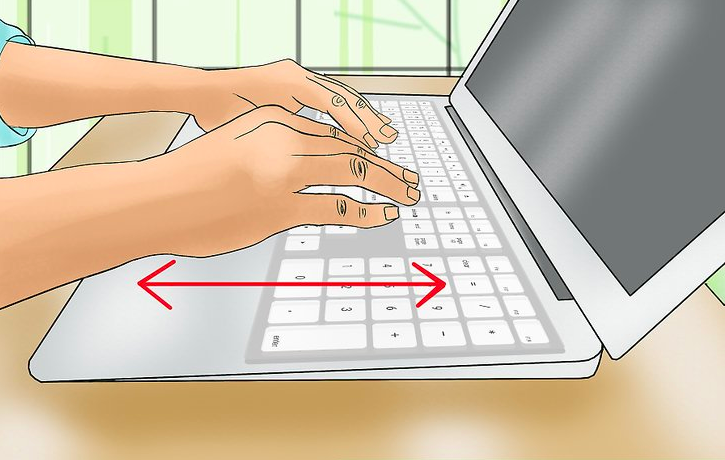
Other elements of a workstation are also important. Desks should have keyboard trays positioned in a way that allows you to type with your shoulders relaxed, forearms parallel to the floor, and wrist straight and flat.
Increase in waist size is the most common problem that is seen in people who spend more time in front of their systems.
There are several reasons for the occurrence of this problem and the most common cause which is seen in more number of people is storage of fat in that particular area.
People who work in the corporate office will not have enough time to take rest and get relaxed.
They immediately go to their work after eating. This is not a good practice and it makes your body to feel uncomfortable and your digestion levels will also become slow.
The fats which are present in your body will be stored in your stomach or in your waist line, that’s why the size of the waist will obviously increase.

This complete keyboard arm with W/27 inch universal platform makes your hands feel comfortable while working on your system.
It also makes your hand to stay or act in the right way so that you will not be affected with various problems like RSI (repetitive strain injury), CTS (carpal tunnel syndrome), etc.
The product features of this complete keyboard arm W/27 inch universal platform are:
- This keyboard tray system includes a steady lift arm on a retractable split nylon glide track with the length of 17” or 21 7/8”.
- It also offers a knobless lock height adjustment and a spring assisted lift of 7” i.e. 6” below the work surface and 1” above the mounting track.
- It offers both negative and positive tilt with the single arm to accommodate for the various optimal positions for different needs.
A therapeutic tool has been designed and crafted for giving relief to carpal tunnel syndrome (CTS) sufferers. The tool named “ergonomic therapeutic glass massage tool” consists of a smooth glass bulb. It is connected to a flat, rounded glass handle that allows users to comfortably grip the tool while performing therapeutic massage.
A stream of colored glass is present inside the glass bulb, which expands for filling the bulb, giving an impression that a glass flower is present inside the center. As the tool is designed ergonomically, strain on your hands can be reduced. It gives longer sessions of massage than usual.
Chronic pain resulting from carpal tunnel syndrome is affecting 1 in 5 Americans and disabling more number of people than cancer and heart disease. Therefore, it is helping people to relieve from CTS. This device is also helping to treat fibromyalgia and multiple sclerosis apart from carpal tunnel syndrome.
Ergonomic products are designed to reduce the pain or inconvenience, which occur in your body when you work in front of your computer for long period of time.
You cannot expect which type of pain or problem may occur to you in the starting days of working with your computer.
It all depends upon the time you spend in front of your computer, working environment, comfort levels, your position, etc.
Not all the ergonomic products are best ones! The recent studies have proved that not all the ergonomic products are suitable for all. Depending on your necessity and seating position, you have to select the right ergonomic product which is suitable for you.
Steps to follow while purchasing right ergonomic products which are suitable for you:
Recent Posts
- 10 IT Health Risks And How To Combat Them
- Ambidextrous Design Of Microsoft Wireless Notebook Optical Mouse To Give Smoother Tracking Facility!
- Pain In The Neck? It Could Be RSI
- Microsoft Natural Ergo Keyboard 4000 Makes Your Operations On The Keyboard Easy!
- Logitech Alto Stand To Correct The Height Of The Laptop!
- Logitech Alto Express And Logitech Alto Connect Ergonomic products For Your Laptop!
- Alexander Technique Principles That Help You In Correcting Your Posture Related Problems!
- What Happens If You Ignore The Importance Of Posture?
- Ergonomic Products Which Help You In Making Workstation Better!
- Know About The Innovative Product Of CYBERNET- ZPC-GX 31!