
Archive for the 'HEALTHY COMPUTING' Category


Is Your Waist Size Increasing By Spending Lot Of Time On Your Computer?

Thursday 15 May 2008

healthy computingIncrease in waist size is the most common problem that is seen in people who spend more time in front of their systems.

There are several reasons for the occurrence of this problem and the most common cause which is seen in more number of people is storage of fat in that particular area.

People who work in the corporate office will not have enough time to take rest and get relaxed.

They immediately go to their work after eating. This is not a good practice and it makes your body to feel uncomfortable and your digestion levels will also become slow.

The fats which are present in your body will be stored in your stomach or in your waist line, that’s why the size of the waist will obviously increase.


Which Type Of Computer Desk And Seating Arrangement You Should Prefer To Avoid Health Problems?

Thursday 1 May 2008

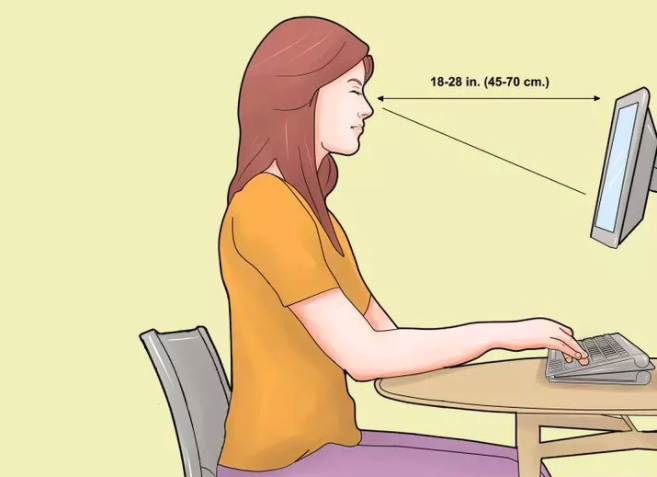
computer deskPeople who work for longer hours in front of their systems will certainly face some health problems like RSI (repetitive strain injury), CTS (carpel tunnel syndrome), back pain etc in their future if they don’t follow certain essential aspects, which will be helpful for them to avoid health problems.

The way you sit before computer and how you work with the computer is mainly responsible for all the inconveniences of your health.

Right ergonomic seating system and correct procedure of working with your computer will be helpful for you.

Tips to select computer desk and seating arrangement:

  • Buying the ergonomic computer desk is the best option if you like to buy the perfect computer desk for your system, but the recent studies have proved that even the ergonomic computer desks are also not giving the better results as they are not used in the right way.


How To Avoid Leg Problems Whenever You Spend Longer Hours Before Your System?

Monday 14 April 2008

leg pain People who are working with the system for long period of time will obtain several health problems in their future if they don’t follow the right position of sitting and right way of working.

Out of all other problems, leg pain is one of the main problems which disturb you in long run.

Person who spends long time in front of the system sits in the same position by letting his legs also stay in the same position.

Due to this, the muscles which are present in your legs become tight and sometimes even they attain cramps with this practice.

Tips to avoid leg problems while working on your system for long period:

  • Exercise is the essential thing which you have to perform regularly to stay fit and healthy. By practicing the leg exercises regularly, your work strain and stress levels will be reduced and the occurrence of pain and strain at your joints will also become less.


Are You Getting Headache While Working On Your Computer For Longer Hours?

Friday 4 April 2008

healthy computingUsually people who are working with their computers get headaches whenever they continuously work for long period of time.

Experienced physicians say that these headaches are quite common and the reason for the occurrence of these headaches is quite difficult to find out because several factors are involved in it like work strain, work tension, unhealthiness, eye strain, brain strain etc.

Different things are responsible for each and everyone who are suffering with these headaches.

Some people obtain these headaches quite rarely whereas some others get them more frequently (in some cases daily). If you are suffering with these headaches frequently, consult your physician regarding this problem.

Tips to get rid of the headaches while working on your computer for longer hours:

  • Don’t feel the stress whenever you sit in front of your computer. Stress is the main thing which is responsible for several problems. Try to play some pleasant music to make your mind relaxed whenever you are under pressure [Tips to ease the computer stress].


11 Ways To Ease The Stress If You are Working Long Hours At The Desk!

Tuesday 8 January 2008

Ergonomics“No day in your working life will be so bad if you follow the right ergonomic techniques.”

Usually, an employee working at the desk has a habit of working for longer hours without following proper ergonomic techniques.

In order to avoid stress throughout the day and work with maximum alertness, you need to follow some ergonomic techniques.

Ergonomic techniques are very important to ease the stress and work with maximum alertness.

When you spend maximum amount of time in front of your desk, you should be aware of how the arrangement and design of your equipment can impact your health, comfort and overall productivity.

These tips are highly effective for modern workers.

1. Create a great computer work space!

In designing your office work space, it is essential to think creatively and innovatively. Employees with longer limbs experience a greater risk with congested work space, so ensure that the space is large enough.


How To Minimize Neck Pain At Your Desk?

Thursday 20 September 2007

Head and Neck PainThe employees who are working at desk are at a higher risk of head and neck pain.

The improper head postures, such as peering at the screen and adopting a pocking chin posture can put pressure on the nerves of your neck. Hence, this results pain in your head, neck, shoulders, arm, or hands.

A continuous contraction of the neck muscles to hold your head in that position leads to a reduced flow of blood through the muscles.

The muscle contraction may also put pressure on the nerves in the upper neck, causing pain in back and sides.

Main causes of neck pain:

  • The position of arm rests too high or too low.
  • Telephone headset holding tightly
  • Fatigue
  • The height of the monitor too high or too low
  • Repetitive head movements
  • Improper head support
  • Frequently looking up and down


How Computer Use Can Cause Arm Pain And How To Reduce It?

Monday 27 August 2007

Arm PainAre you working at desk? Then you need to consider some factors for your work comfort.

Those include your posture, the way you are using the mouse and keyboard, and monitor position.

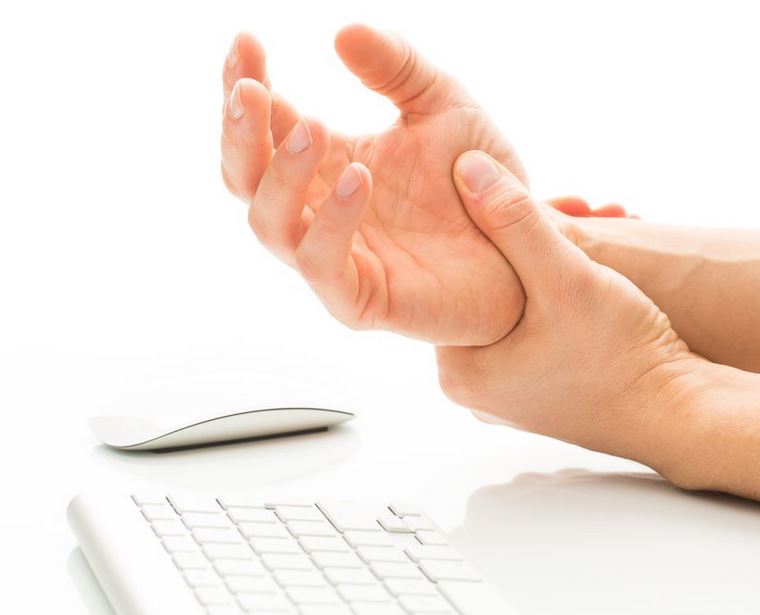
Frequent inaccurate use of a mouse when working on the computer can lead to a condition called as repetitive strain injury or mouse arm.

Arm pain includes tingling, numbness, and weakness in the lower arm and hands.

These signs are due to overstressing of the tendons and nerves due to repetitive motion.

What cause arm pain?

Constant clicking with the computer mouse and abnormal hand position can cause damage to the tissues and in the long run which can lead to inflammation of the nerve fibers. The mouse click movements on its own can also trigger pain.

How to reduce arm pain?

  • Following ergonomic working methods can prevent RSI.


What Cause Leg Pain At Your Desk And How To Prevent It?

Friday 10 August 2007

Leg PainIs your CPU placed under your desk? Due to this you will place your legs in an uncomfortable position, since there is less space for your legs.

If you are not able to freely move your legs or you need to adjust your sitting position around the CPU can lead to cramped space and pain in your legs.

In this situation you may need to consider a CPU holder. For the proper blood circulation you need to move your legs frequently and your muscle stretched out.

You will experience leg pain in three cases. They include:

  • Not giving support for your lower back curve can cause nerve irritation which results pain in the back of your legs.
  • Pushing the seat pan against the back of your knee can cause muscle tension in your legs.


How To Reduce Back Pain At Your Desk?

Tuesday 31 July 2007

Back PainIn these days use of computers is very much increased.

Teenagers spend most of their time in a day in front of the computer.

People who have a desk job will suffer from back pain at any point in their life.

Sitting in front of a computer all day and poor posture may lead to muscle imbalances. [Ergonomic Seating]

Sitting in front of the computer desk for long hours can increase muscle stress and put pressure on the spinal disks. Back pain leads to spinal stenosis that means narrowing of spaces in the spine that result in pressure on the spinal cord.

Use a chair with proper height to reduce back pain. Your chair plays a vital role in your back health since it provides the foundation for body support that will carry you through out the day. Adjust the computer desk chair to the height of your workstation.


Are You At A Risk Of Repetitive Strain Injury?

Tuesday 24 July 2007

Repetitive Strain injuryRepetitive strain injury (RSI) is a condition that affects millions of patients worldwide.

In order to define this controversial condition high quality trials and evidence of effective treatments are needed.

Frankly speaking repetitive strain injury is not one diagnosis, but it is an umbrella term for disorders that develop as a result of repetitive movements, awkward postures, sustained force and other risk factors.

RSI include specific disorders such as carpal tunnel syndrome, tendonitis of the wrist and hand, and some other upper limb problems.

Most frequently RSI occurs in adults of working age. Generally they report strains of hands, wrists, arms, shoulders or neck. The occurrence of RSI is in 5-10 percent of the population and also it could be as high as 40 percent in working population.

One of the hypotheses of RSI is that continuous contraction of the muscles due to long-term static load with insufficient breaks could result in reduced blood circulation and muscle fatigue.


Next Posts »» «« Previous Posts